Set when to ask
Above a certain amount, for new suppliers, or for anything that cannot be refunded.
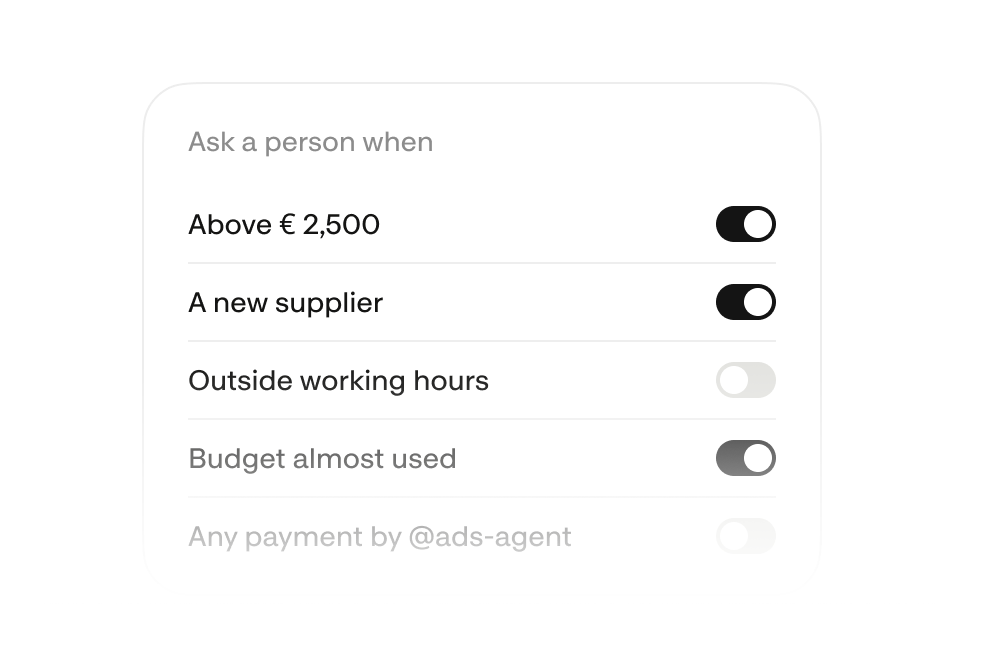
People step in only when it matters. Payments outside the rules wait for the right person, in the app, on Slack or by email. Everything else runs on its own.

How it works
Above a certain amount, for new suppliers, or for anything that cannot be refunded.
A notification goes to the approver in the app, on Slack or by email, with all the context.
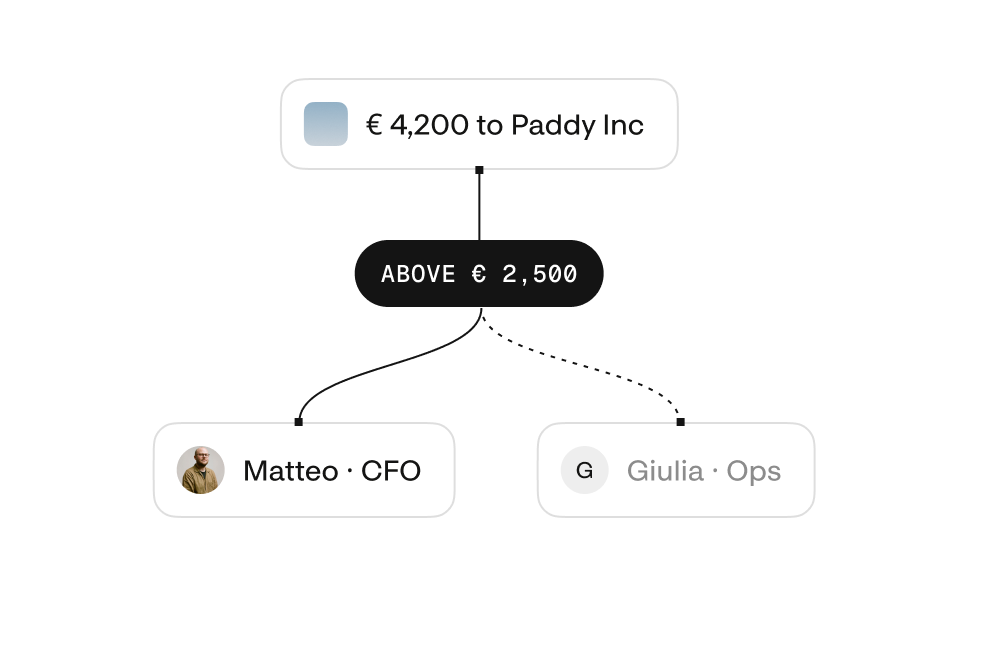
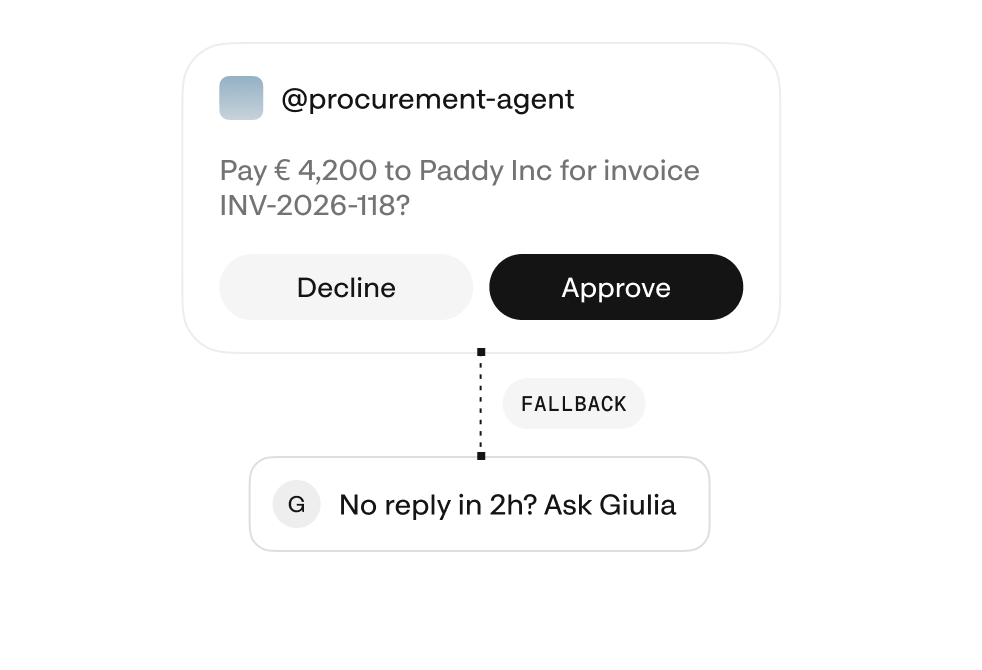
Approve or decline. If nobody answers in time, your fallback rule applies.
What you get
Ask a team lead first, then finance for larger amounts.
Approve where you already work.
Decide what happens if nobody answers: decline, or escalate.
Hand over approvals while you are away.
Install the SDK or connect any agent through MCP. Try everything in the sandbox before you go live.
Coming with the sandbox
Use cases
Anyone you choose in your team. You can set different approvers for different agents and amounts.
Only payments outside the rules need approval. Everything inside them runs on its own.
Yes. Each decision is saved in Proof with who made it and when.
Choose when you want to be asked, and let agents handle the rest.